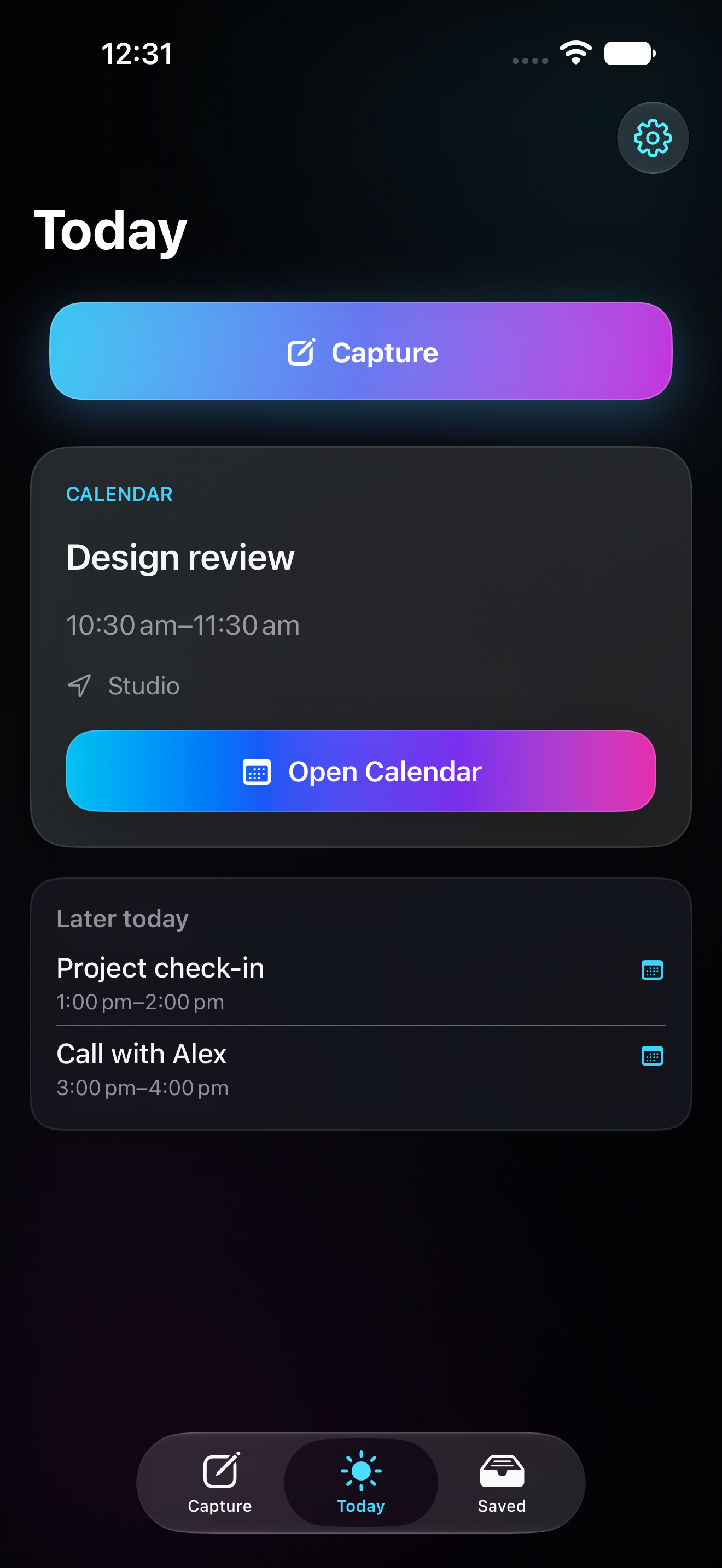
Capture the mess
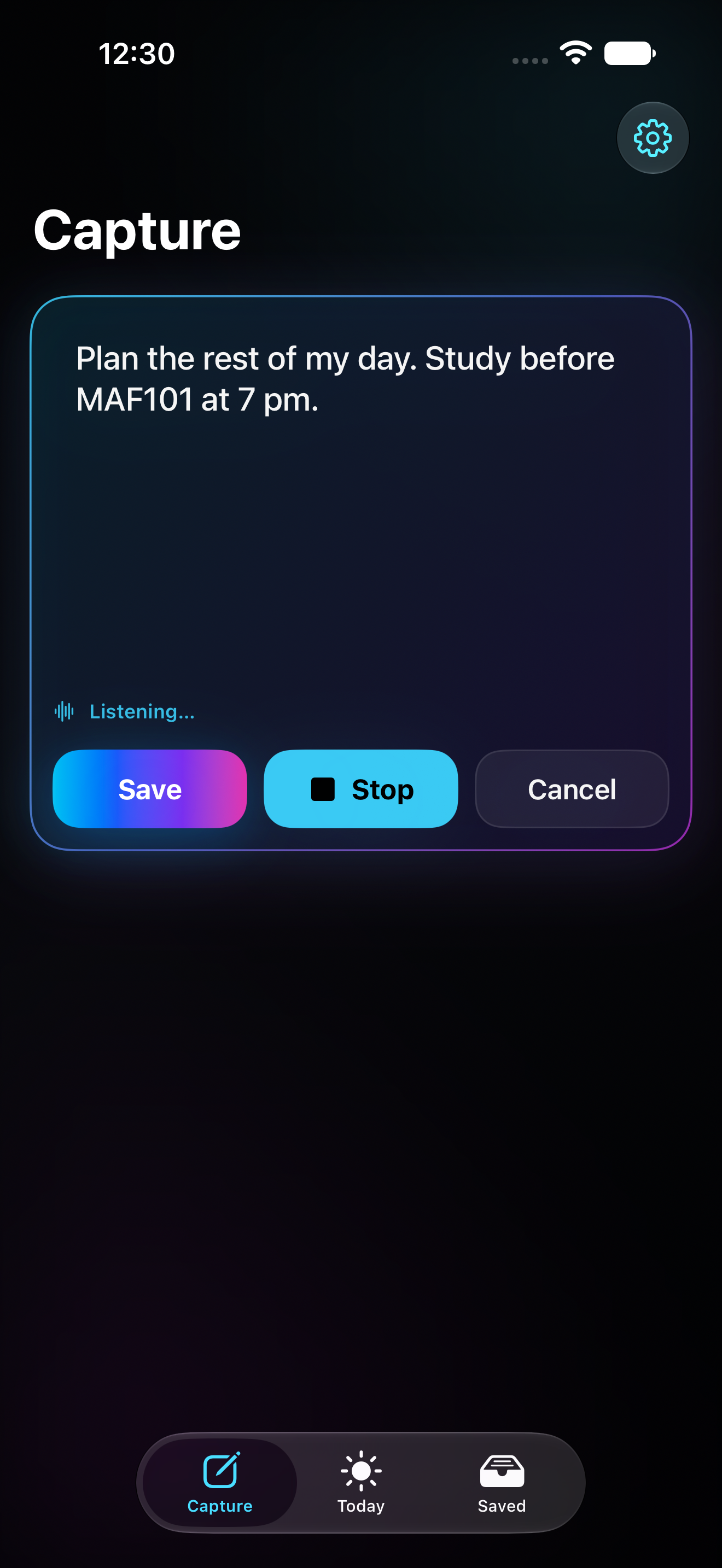
Type, paste, share, screenshot, or dictate whatever is in your head before it disappears. No perfect wording. No folders. No planning ritual.
Cuehold helps you capture messy thoughts, sort what they mean, and see what needs attention next — without turning your Calendar or Reminders into chaos.
Optional AI cleanup. Explicit Apple export. No silent scheduling.
For people who capture everything and still lose the thread.
Screenshots. Voice notes. Links. Half-formed tasks. Random thoughts at the worst possible time.
Cuehold gives that mess somewhere to land — then helps you turn it into a next action, something to revisit, or something to keep.
Problem
Voice notes are easy. Turning them into action is the hard bit. Cuehold is for the moment after the brain dump, when everything feels equally loud and nothing has a clear shape yet.
Capture → Triage → What Next. Cuehold helps you sort the mess before it becomes another list you avoid.
Cuehold is the layer before Apple Reminders and Calendar. You decide what matters. Apple Reminders reminds. Apple Calendar maps time.
Workflow
Capture the mess → Sort it out → See what's waiting.
Type, paste, share, screenshot, or dictate whatever is in your head before it disappears. No perfect wording. No folders. No planning ritual.
Use Sort It Out when your capture is messy. Cuehold can help clean it up, split multiple thoughts, and suggest what it might become.
Cuehold brings forward what needs attention, what still needs sorting, and what can wait. Less inbox guilt. More "what next?"
Product proof
Sort It Out is for messy captures: the half task, half rant, half "future me problem" that still needs somewhere to land.
Cuehold can help clean it up, split it apart, and suggest what each piece should become. If AI is unavailable, your capture still saves locally.
Clean up rough captures, split multiple thoughts, and suggest whether each piece is a task, idea, note, reminder draft, calendar draft, or just something to keep.
Turn a loose thought into an action that can show up in Needs Attention or Today Signal.
Park maybes, decisions, and future possibilities without turning them into urgent tasks.
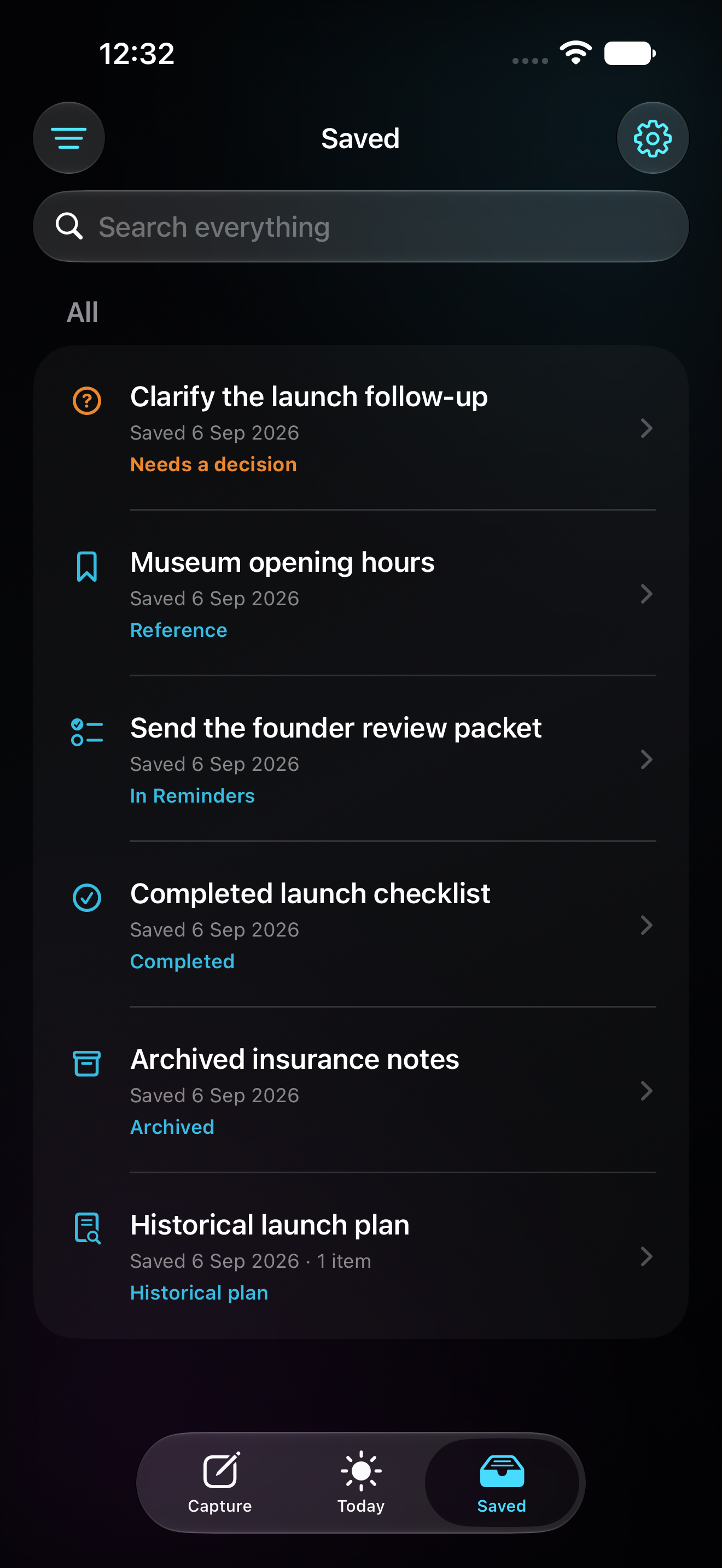
Save notes, links, screenshots, details, and quotes without turning them into something that nags you.
Keep loose ends visible without dumping your entire life into one massive backlog.
Surface the item most worth your attention while passive notes stay out of the urgent pile.
Understand what may deserve attention now — not every saved thing, idea, or screenshot.
Get a calm readout of what is sitting around, what needs attention, and what can wait.
Apple-native trust
Cuehold is not trying to replace Apple Reminders or Apple Calendar. It helps with the part before that: what is this, does it matter, and is it worth committing?
Cuehold decides with you. Reminders reminds you. Calendar maps your time.
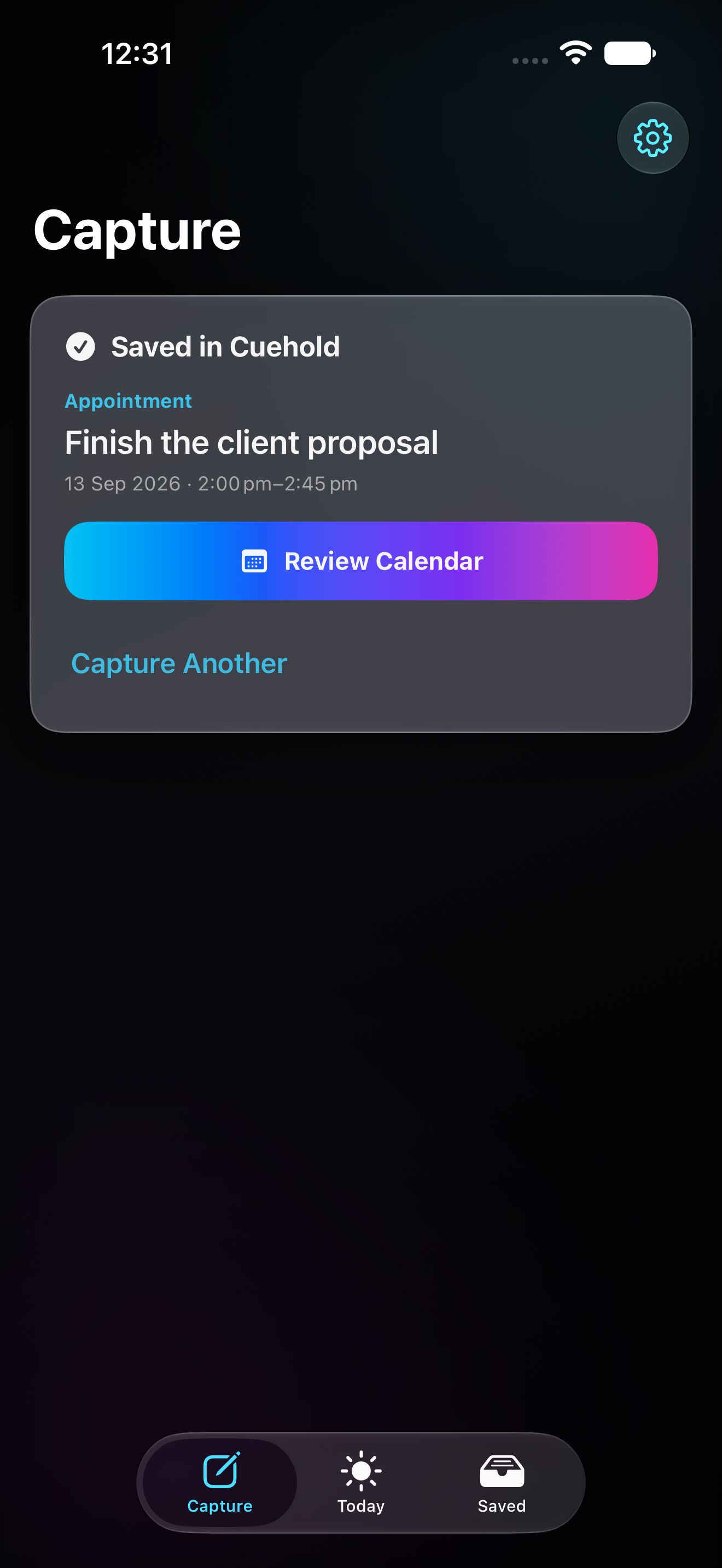
Tasks can be exported to Apple Reminders. Time-based commitments can be exported to Apple Calendar. You choose when that happens.
Optional AI can clean up rough captures, split brain dumps, and suggest what something might be. Suggestions stay reviewable.
Cuehold does not silently create Apple Reminders or Calendar events, schedule your day, or move your calendar around.
The experience should feel at home on iPhone without borrowing Apple branding or implying affiliation.
Beta
Cuehold helps you brain dump the mess, sort what it means, and see what needs attention next.
It is not another to-do list. It is not a chatbot. It is not a Calendar replacement. It is the step before commitment.
Capture first. Triage second. Know what next.
Cuehold is an ADHD-first capture and triage app for iPhone. It helps you get messy thoughts out of your head, sort what they mean, and decide what needs attention next.
Not exactly. Cuehold is a capture and triage layer. Optional AI can help clean up and process messy captures, but you stay in control.
Sort It Out is for messy captures. Brain dump a bunch of thoughts, and Cuehold can help clean them up, split them apart, and suggest where they belong.
No. Cuehold does not silently schedule your day or move your calendar around. It helps you clarify what matters and choose what to export.
No. Apple Reminders is still the reminder engine. Apple Calendar is still the time map. Cuehold helps you decide what is worth sending there.
What's Waiting shows things that may need action, sorting, or revisiting. It is a calmer way to see what still needs your attention.
No. Cuehold is a productivity tool designed with ADHD-style capture chaos and cognitive overload in mind. It is not diagnosis, treatment, therapy, or medical advice.
Your capture still saves locally. Cuehold is designed so capture does not depend on AI working perfectly.